With Leica CloudWorx Pro plugins connected to Hexagon GeoCloud, designers, engineers, and VDC teams can work from a shared, cloud-hosted dataset directly inside the software they already use. Collaboration becomes continuous, accurate, and production-focused from early design through construction.
 Stream GeoCloud point cloud data straight into your CAD/BIM tools with CloudWorx Pro plugins for seamless collaboration.
How CloudWorx Pro enables production-ready collaboration
CloudWorx Pro plugins are built for teams responsible for modelling, verification, coordination, and quality control.
Available for AutoCAD, Revit, Navisworks, and BricsCAD, CloudWorx Pro enables teams to:
-
Extract accurate 2D and 3D geometry for steel, piping, walls, windows, doors, and more.
There is no need for file conversions, duplicate datasets, or export workflows. Teams stay focused on producing accurate models and drawings faster, with confidence that the as-built and design drawings reflect site conditions.
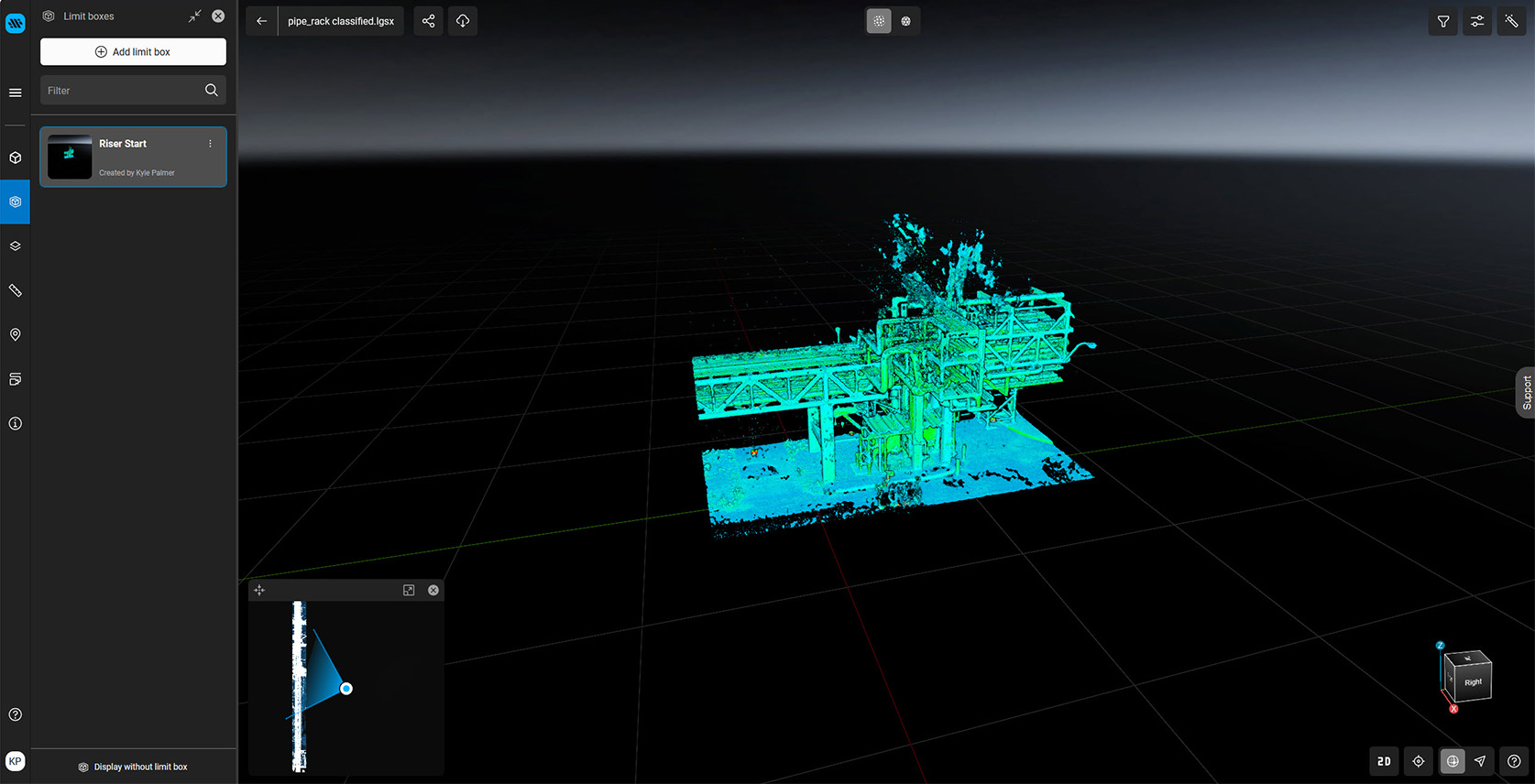 Create a limit box in GeoCloud to isolate your area of interest and keep large point cloud datasets fast and manageable.
GeoCloud is the shared source of truth for project teams
GeoCloud provides the cloud infrastructure that enables this workflow.
Reality capture data is uploaded once and streamed on demand to unlimited users. No large downloads, no local storage management, and no version control confusion. Every stakeholder works from a centralised data location with a single source of truth, ensuring alignment across disciplines and stakeholders at every stage of the project life cycle. For CloudWorx Pro users, GeoCloud delivers high-performance access to large datasets without compromising accuracy or speed.
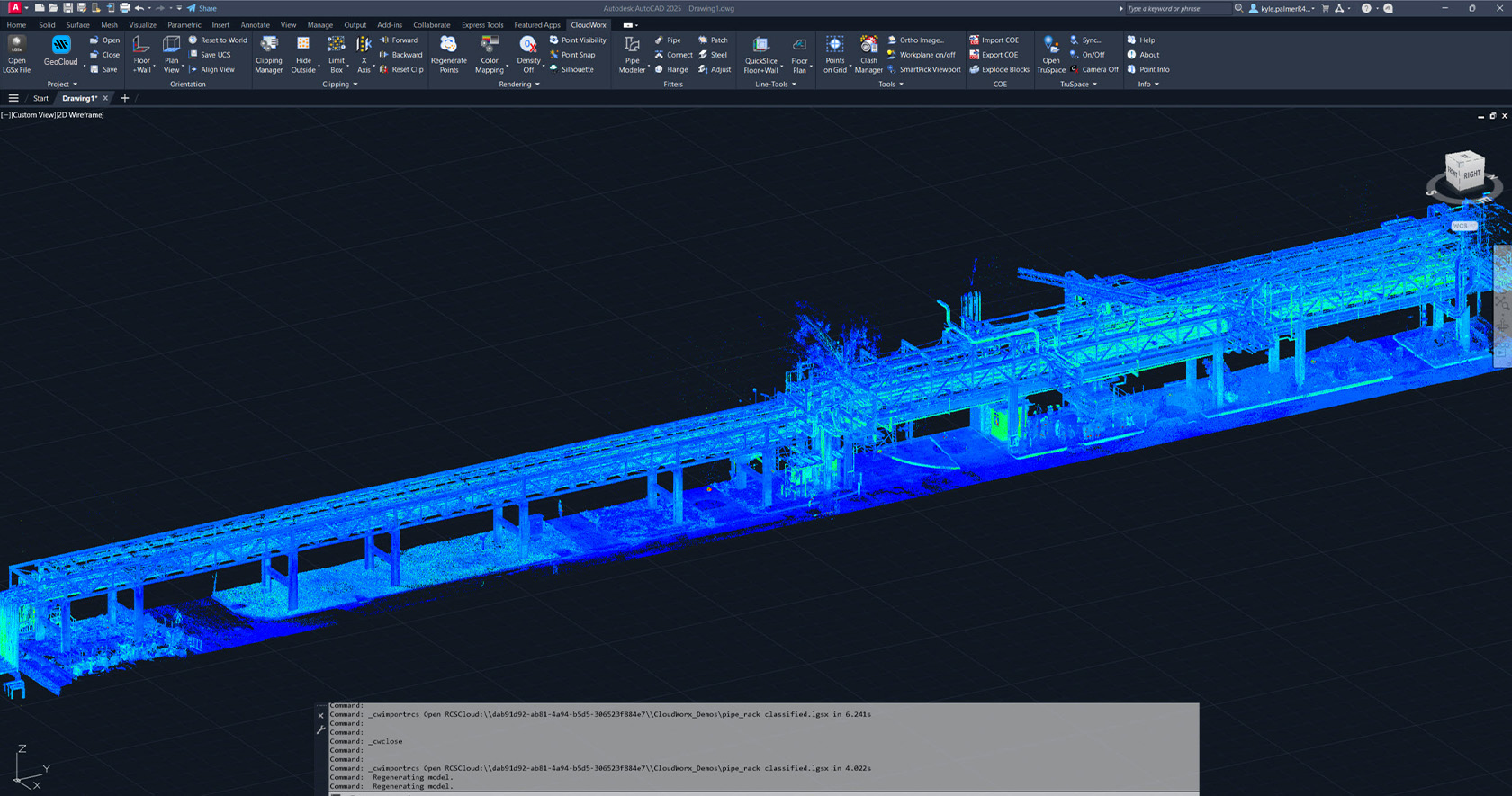
Stream GeoCloud point cloud data directly into AutoCAD with CloudWorx Pro. No downloads, no conversions, one shared source of truth.
Where CloudWorx Viewers fit into the workflow
CloudWorx Viewers support collaboration by removing barriers to access, not by replacing production tools.
Using the free viewers for AutoCAD, Revit, or a standard web browser, project managers, clients, and reviewers can view scan data, imagery, and GeoTags without specialised training. This keeps communication transparent and feedback timely while drafting and design teams utilise the advanced features available in CloudWorx Pro.
A simple workflow example
A reality capture dataset is uploaded to GeoCloud.
Design teams use CloudWorx Pro inside AutoCAD or Revit to extract geometry, check clashes, verify designs against reality, and produce deliverables. At the same time, project managers and clients review progress using CloudWorx Viewers or a web browser.
Everyone works from the same data, in tools appropriate to their role, without duplication or handover friction.
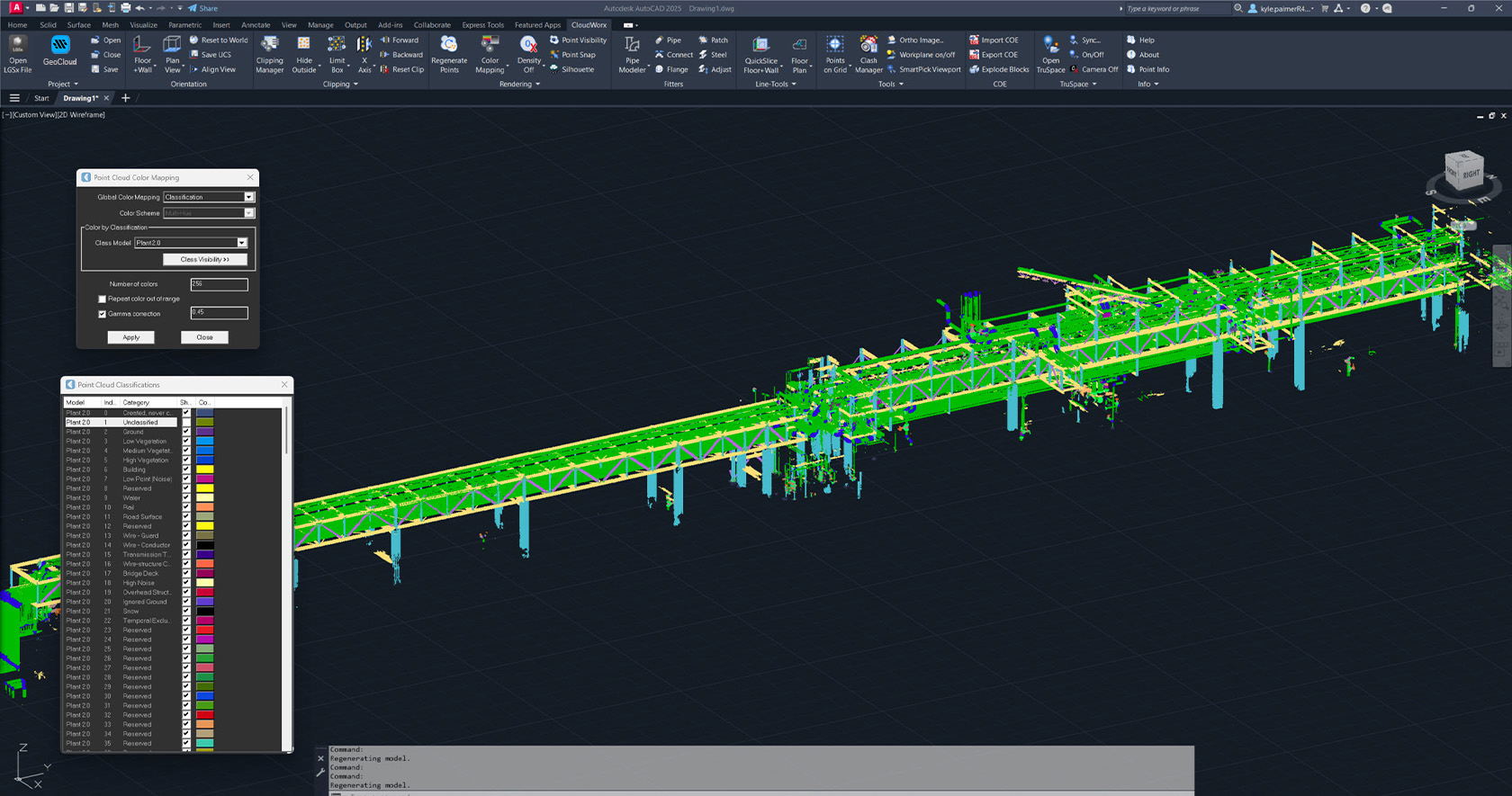
Use point cloud classification to isolate key features and model faster, so teams coordinate on the same geometry with fewer revisions.
Why serious teams step up to CloudWorx Pro
CloudWorx Viewers remove barriers to access. CloudWorx Pro plugins remove barriers to delivery.
Together with GeoCloud, they enable a modern, cloud-based collaboration workflow that allows serious teams to move from viewing reality capture data to delivering higher quality results faster.
Ready to move from viewing to production?
Talk to sales to review your current workflow and identify where a CloudWorx Pro plugin can eliminate rework, speed up delivery, and improve design confidence in your primary CAD or BIM environment. Contact us now >

Kyle Palmer
Product Manager
Reality Capture Software


.jpg?sc_lang=en&hash=9400E5E93E33DA1FE643F724574B105C)


