


.jpg?sc_lang=ja-jp&hash=6CE4C567B26603342F16281E4F645BFB)


安全認識向上ソリューション
ライカジオシステムズの大型建設現場全体での安全認識向上ソリューション。
ライカジオシステムズの大型建設現場全体での安全認識向上ソリューション。


Staying safe in heavy construction environments, no matter the site conditions.

As artificial intelligence continues to transform industries, its application in heavy construction is both exciting and essential to enable a “safety-first” culture that puts people as a priority. The Leica Xsight360 safety awareness solution represents a significant leap forward in how we protect operators and site personnel. By combining AI-driven human form and object detection with robust hardware and intuitive interfaces, Leica Xsight360 delivers real-time awareness and valuable insights that adapt to the dynamic nature of construction environments.
However, as with any emerging technology, it’s crucial for safety professionals to understand not just what the system does, but how it does it. This article is the first of our “Unlock your safety superpowers” expert insights series, designed to provide in-depth technical knowledge for those responsible for using, implementing, maintaining, and optimising safety systems on site. Whether you're a safety officer, site engineer, or fleet manager, this guide will help you gain a deeper understanding of the Leica Xsight360 system’s architecture, configuration, and operational safeguards.
The Leica Xsight360 solution leverages industry-leading edge-AI models to deliver real-time object detection and operator alerting. In addition, occupational health and safety managers benefit from its AI-powered incident auditing and reporting capabilities, which support the development of proactive and data-driven safety strategies.
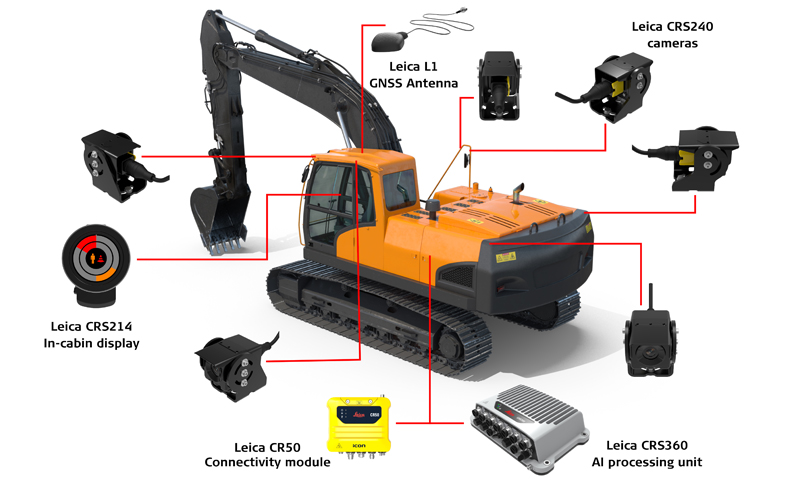
The system comprises a set of hardware components that can be installed on any vehicle. These include the Leica CRS360 AI processing unit, the Leica CRS214 in-cabin display, the Leica CRS240 Automotive Ethernet camera, and the Leica CR50 connectivity module. Every detection is geolocated to identify danger zones and high-risk areas on site, enabling the implementation of appropriate measures to prevent future incidents.
In this Expert Insight, we’ll take a closer look not only at the functionality of some of these components but also at key aspects such as their mounting options, reliability, calibration process, and more.
The Leica Xsight360 system indicates all visual alerts through an interface via the Leica CRS214 CAN-based operator display. Leica Xsight360 visual alerts are fully configurable to suit different site requirements and operator needs. This includes customising alert colour, flashing pattern, and buzzer settings separately for general and critical detections. Configurations are managed through the Leica Xsight360 setup app on the online customer platform by an authorised user. Operators cannot change alert settings directly from the in-cab display. Access may be granted to operators or limited to designated personnel such as safety officers or site engineers.
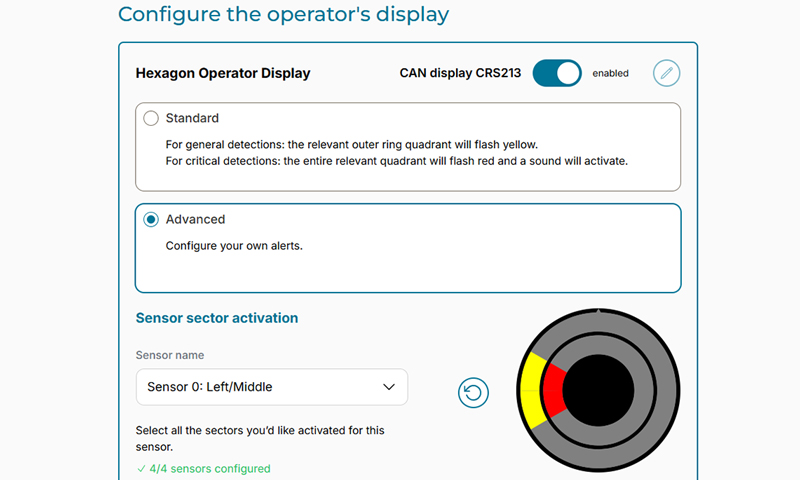
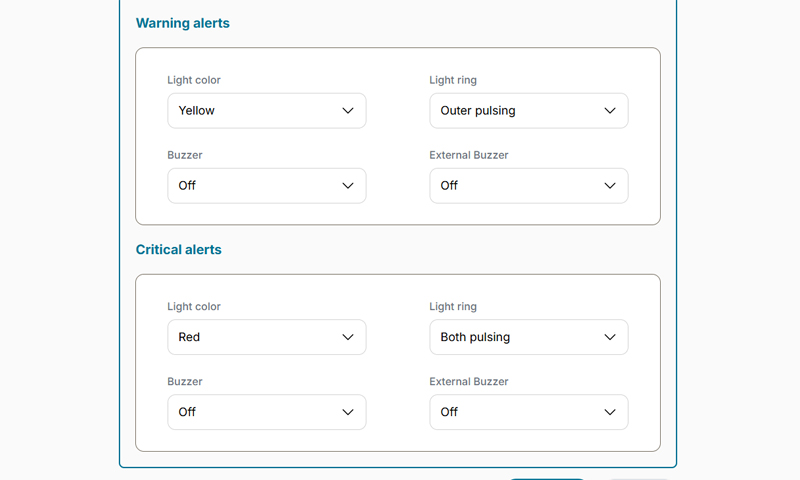
Leica Xsight360 running on Leica MC1 machine control software and Leica MCP80 panel.
The Leica Xsight360 system supports flexible camera configurations tailored to different machine types. Using up to six 120° wide-angle cameras, the system can deliver full 360° awareness. Machines may be configured with partial coverage, depending on the operational risk zones and application.
The Leica CRS214 in-cabin display presents a sector-based alert layout that corresponds to the actual camera coverage installed on the machine. The display provides real-time illuminated segments that indicate both the direction and severity of detections, aligned precisely with the configured fields of view. This ensures the operator is only alerted to activity in zones that are actively monitored.
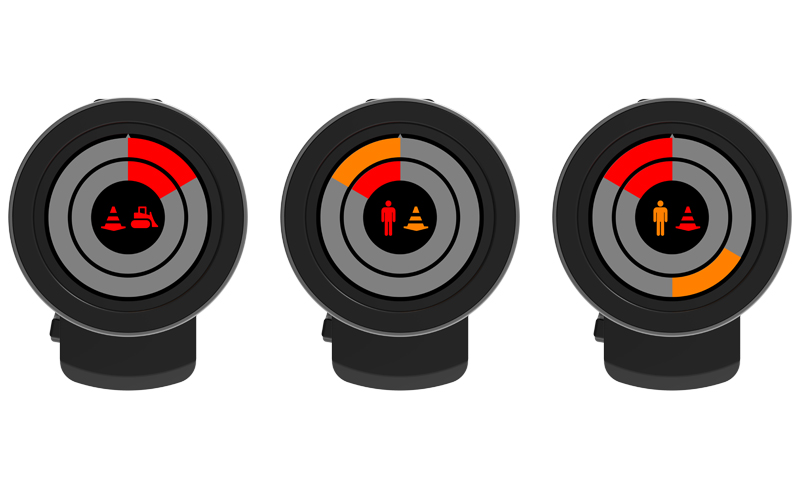
Leica CRS214 display alert examples.
For enhanced situational awareness, the system can be integrated with the Leica MC1 machine control solution, enabling operators to view live camera feeds on their Leica Geosystems machine control display. These feeds are not stitched into a composite view but can be cycled or displayed in parallel. Upon detection, the Leica MC1 interface can be configured to automatically switch to the relevant camera stream, providing immediate visual context.
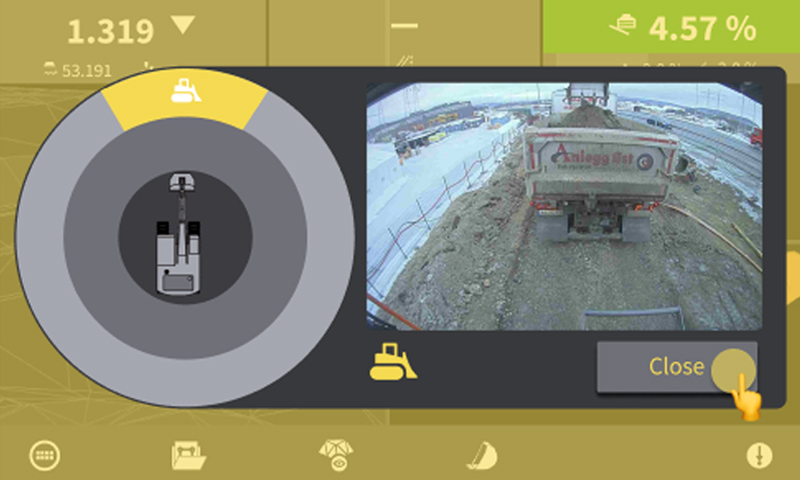
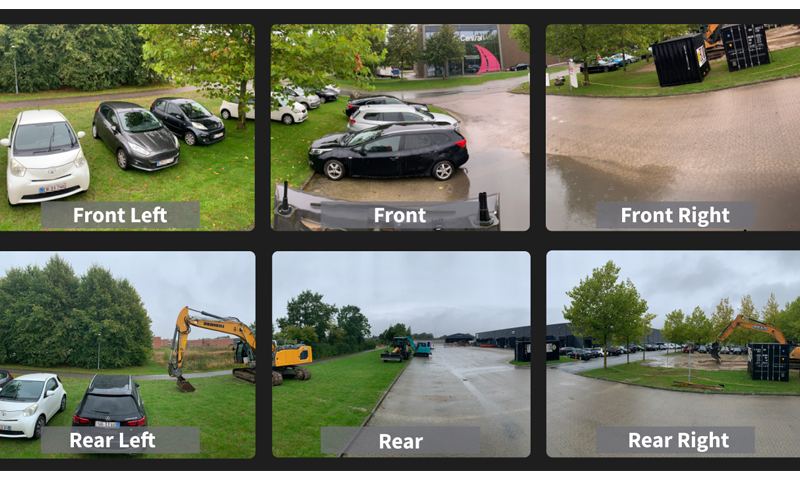
Leica Xsight360 operating with Leica MC1 machine control software and the Leica MCP80 panel
Leica Xsight360 supports a wide range of camera mounting options designed for ease of use and flexibility on all machine types. Available mounting solutions include:
Camera brackets support vertical, horizontal, side, and inverted orientations with adjustable tilt angles. A dual screw locking mechanism ensures stability under vibration. All cameras use automotive Ethernet cables with M12 connectors, and optional extension cables allow for placement of disconnect points in safe and accessible areas.
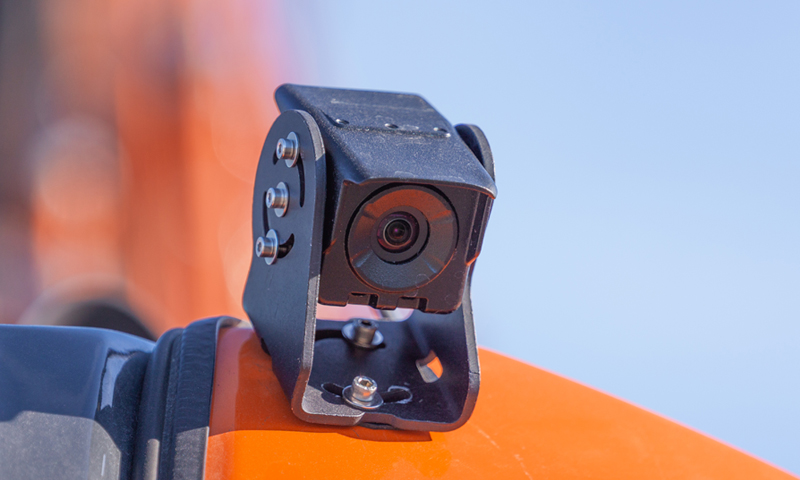
Leica CRS240 camera with the Leica CRS202 Universal Camera Bracket (included for every camera)
Leica Xsight360 on-machine components have been engineered for machines that undergo frequent assembly and disassembly cycles. The camera's quick-connect/disconnect rear plugs enable easy removal and reinstallation without tools. Brackets are designed to maintain alignment under vibration and resist degradation from repeated handling. Cable systems support colour-coded labelling (from local installer) to simplify reinstallation, while the stress-relief loops and dust caps protect connectors during frequent connection/disconnection routines.
Leica Xsight360 eliminates the need for traditional calibration tools such as checkerboards. Cameras are pre-calibrated at the factory, and IP addresses are automatically assigned upon connection. Full system calibration is performed during setup using a wizard-driven interface accessible via a standard laptop or tablet over the system’s internal Wi-Fi or over-the-air through the online platform. It is designed to be extremely simple, with no advanced technical skills required.
The calibration process includes:
The AI engine does not require calibration. Users simply select the operating environment from predefined options, and the system adjusts detection parameters accordingly. If a camera is moved or replaced, the system compares the current view to a stored reference image and prompts recalibration if needed.
Following the configuration, a walk-around test is conducted to verify detection zones and system functionality. Detection zones can be adjusted via the Manual Sensor Configuration, as required. The installer will need to verify that the Alert Trigger is behaving as expected. It is important to note that the system will be inactive in safe mode (e.g., hydraulic lock engaged) and activate only in working mode. Detection events are uploaded to the cloud, and a calibration certificate is generated and can be stored in the vehicle.
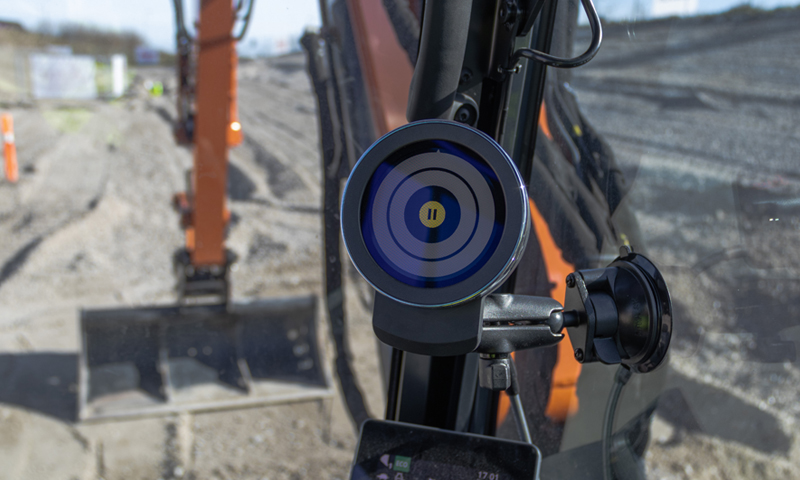
Leica CRS214 display inactive (safe mode).
Leica Xsight360 includes multiple fail-safe mechanisms to ensure operational integrity:
All faults are logged locally and to the cloud. The Device Maintenance dashboard provides real-time visibility into system health, and alerts can be escalated via email or SMS.
Operators cannot disable the system without physically tampering with the wiring. Any wiring modifications are time-stamped and logged in the cloud. If the system is unplugged or the fuse is removed, the machine will be flagged as inactive during expected operating hours. Alert deactivation muting can only be performed remotely by authorised personnel via the cloud interface. The system’s input trigger ensures alerts are only active when the machine is in a hazardous state.
With Leica Xsight360, we’ve got your back. With a solution that delivers true safety awareness by combining rugged hardware, intelligent system architecture, and robust fail-safe mechanisms to ensure maximum safety and uptime.
Brad Mullis is Product Manager at Hexagon’s Machine Control division. In this role, he is responsible for driving the product development of Leica Geosystems’ Safety Awareness portfolio, bringing technology to the heavy construction industry that plays an active role in improving productivity and reducing risk and incidents.
Follow Brad on LinkedIn
