
De gratis Captivate-simulator downloaden
Probeer Captivate op uw desktop met de gratis simulator en datasets om uw vaardigheden te oefenen en verbeteren.


.jpg?sc_lang=nl-nl&hash=B9102B9D15FD7261413922FC1F8DF517)
Wij introduceren een nieuwe dimensie op het gebied van reality capture en een nieuwe manier van werken voor 3D-laserscanning.
Lees hoe de nieuwste functie-releases van Leica Captivate-veldsoftware betere landmeetworkflows mogelijk maken.
Ontdek de zich steeds ontwikkelende kracht van de veldonderzoekssoftware van Leica Captivate, die voortdurend wordt bijgewerkt met moderne technologieën en aangepast aan de behoeften van de gebruiker. Ontdek de nieuwste verbeteringen die zijn toegevoegd aan onze software-releases, allemaal beschikbaar in een actief Customer Care-pakket.
Leica Captivate 2027 marks the beginning of the next generation of Leica field software, introducing new capabilities that support more connected, collaborative and intelligent surveying workflows. Designed for the latest Leica Geosystems field controllers, it combines trusted surveying functionality with cloud-enabled workflows, AI-powered technologies and an evolving platform that will continue to deliver new capabilities through future releases.
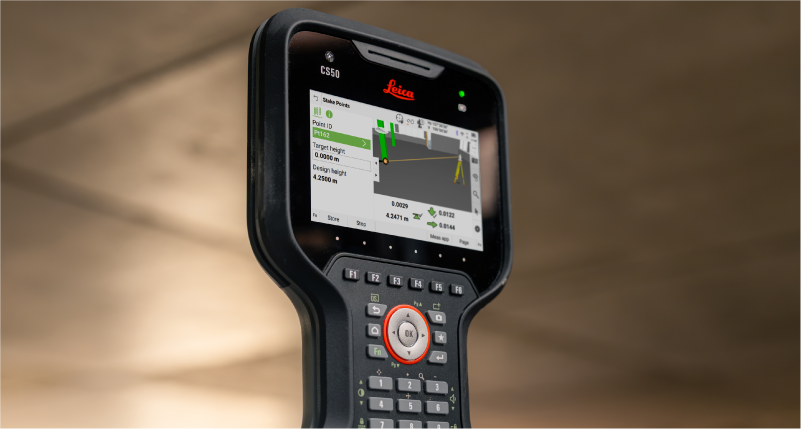
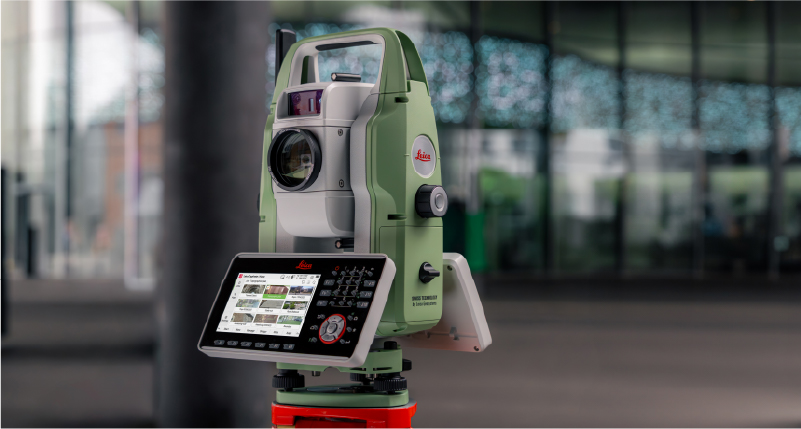
Captivate 2027 supported devices include TS20, CS50, CS30, CC180, CC200 and other Windows tablets.
Leica Captivate v12 brings the latest maintenance and compatibility updates to supported devices. It also ensures that equipment running Captivate v12 continues to work with controllers running Captivate 2027, allowing you to combine existing and new Leica surveying equipment within your field workflows.
Captivate v12 supported devices include MS60, TS60, TM60, TS16, TS13, TS10 and CS20.
Leica Captivate v11 builds on the proven Captivate experience with enhancements that improve performance, connectivity, and productivity across the surveying workflow. TS20 users benefit from improved ATR, PowerSearch, and connectivity robustness, alongside new panoramic image capture, remote video streaming whilst an AP20 is connected, and integrated eSIM management.
The release also expands rail and tunnel capabilities with improvements to auto-staking of the tunnel face, drilling rig orientation, dynamic compensation, and several other infrastructure project workflows. Complemented by stronger pairing security, simplified Hexagon GeoCloud authentication, GS05 UHF communication support, and numerous software refinements, Captivate v11 delivers a more capable, reliable, and connected field experience.
Leica Captivate v10 introduces two key updates that shape how users interact with the software: a redesigned home screen and support for the new Leica TS20.
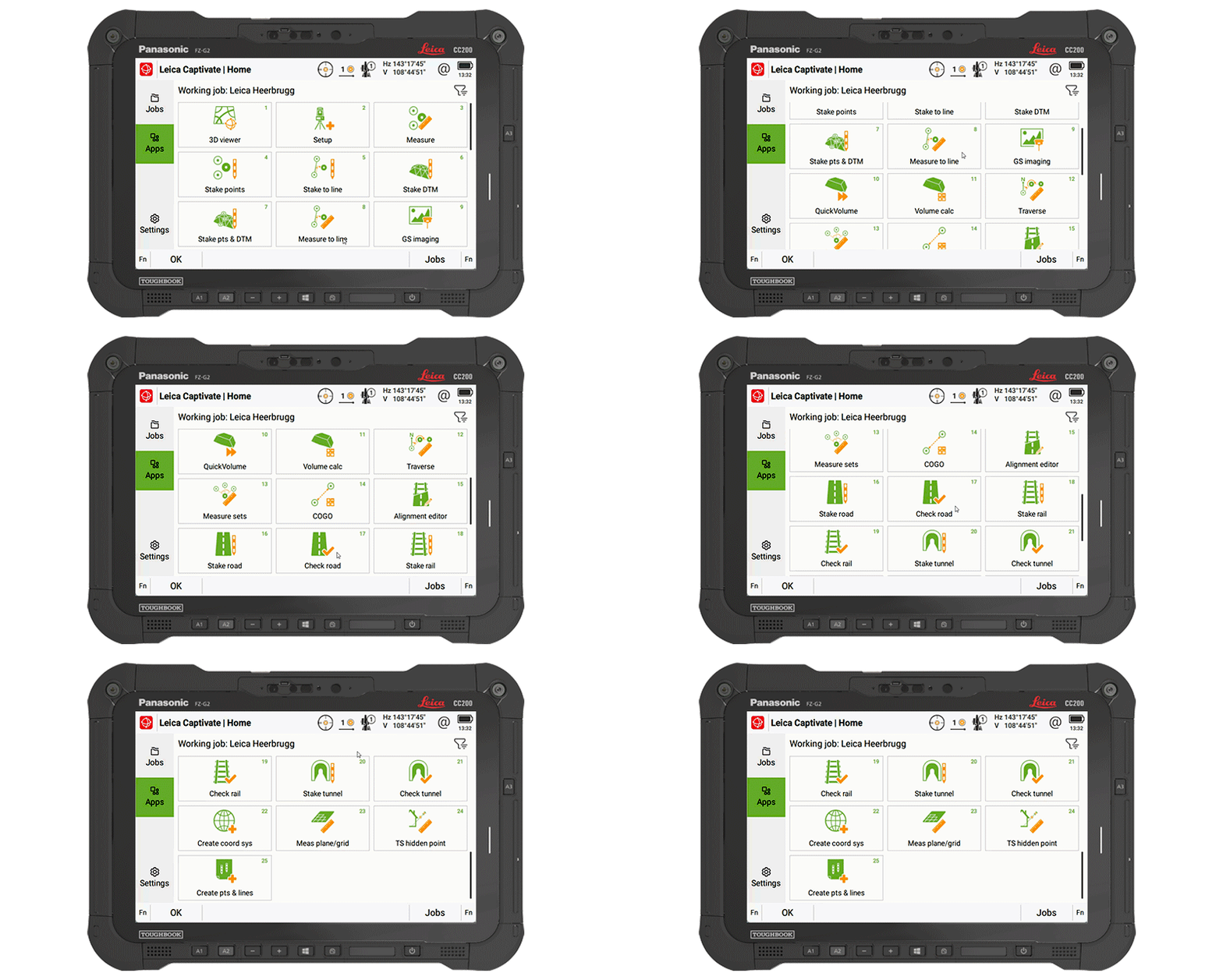
The home screen layout has been updated to make it easier to access jobs, apps, and settings. The improved job organisation and simpler app selection help structure daily work more clearly from the moment Captivate is started.
The Leica TS20 defines the next generation of robotic total stations, with AI-powered automation that is fully integrated into Captivate v10. AI-Detect is one example of this; it automatically recognises the target type being measured and checks it against the current settings to help avoid target selection errors.
Captivate v10 features improvements that support day-to-day work, such as snapping to IFC surfaces and edges for quicker data selection, especially when combined with the new button for the map context menu, providing quick access to tools and apps.
Line handling is improved by adding dimensional input for measuring circles and rectangles, along with quick access tools to allow extending of lines directly in the Measure app, and instant creation of offset lines from the 3D Viewer.
COGO computations are enhanced to utilise our split-screen layout, enabling adjustments to computations and the review of results before storage.
Further v10 improvements include integrating NTRIP caster settings into GS base mode, numerous enhancements to the Tunnel app, NMEA message extensions for tilt information, and better integrated links to GeoCloud Drive.
Leica Captivate v9.0 ensures the support of our latest hardware, such as the small and light tilt enabled Leica GS05 SmartAntenna, the recently introduced CC180 and CC200 tablets, and the GKP100 Captivate Keypad. Inspired by these, v9.0 also includes several software changes, including enhancements to SmartPole.
SmartPole setups are now easier than ever, as a single button press triggers both the GS & TS measurements, and a new GS Search function has been introduced to enable the total station to turn directly to the GNSS position, allowing the prism to be found much quicker.
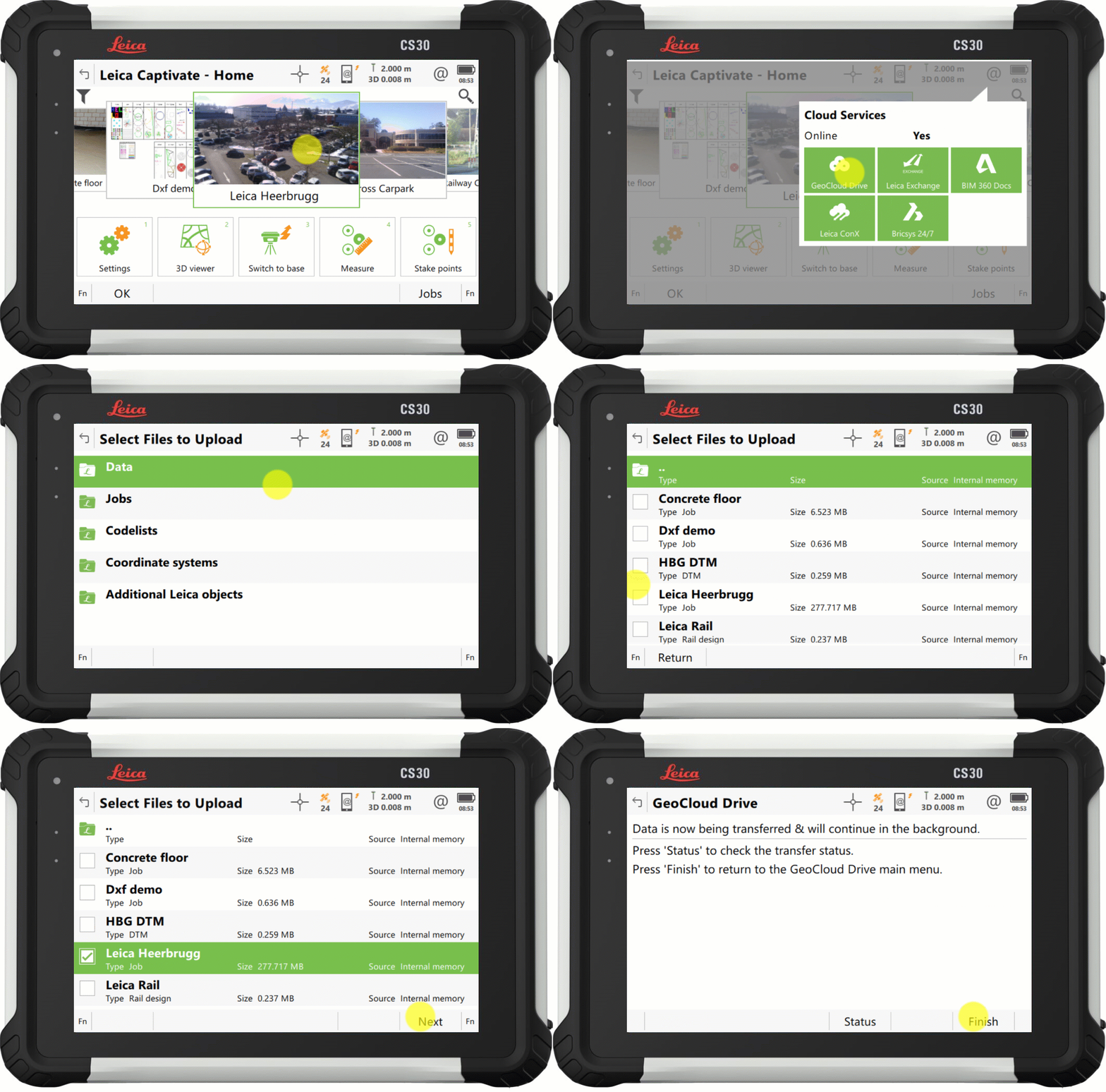
With Captivate v9.0, the process to upload your data to our cloud service, GeoCloud Drive, has improved so that exported data and entire jobs, can now be uploaded in just a few clicks.
Also in v9.0, the Snapping to CAD/IFC entities functionality from version 8.50, has been enhanced to support finding the center of more shapes, and allowing snapping within apps such as Stake points and COGO.
Further v9.0 improvements include the ability to set a GS Base as an NTRIP caster, via the webserver, and the ability to switch between some of our apps without interrupting continuous TS measurements or AP20 tilt initialization.
Leica Captivate v8.10 introduced support for the new cloud service, HxGN GeoCloud Drive, with v8.50, Captivate further harnesses the power of this service, delivering free online access to locally relevant content, through a new regional Configuration Tool.
Worldwide, Leica representatives publish a range of local content, including coordinate systems, style sheets, and sample data. The new tool facilitates users from any locale to select their country of interest, view the relevant regional content, and download according to need.
1. Captivate v8.50 introduces a new selection option to increase the ease and efficiency of working with CAD and IFC files. The new features, 'snap to corner' and 'snap to arc center', enable direct interaction with specific points of interest of an object, to ensure that only the desired data is imported.
2. Captivate v8.50 also brings a new way to switch the line in use within the ‘stake to line’ and ‘measure to line’ apps. It is now possible to tap and hold on a desired line to easily switch lines on-the-fly, enhancing productivity by eliminating interruptions in the measurement process.
3. Captivate v8.30 introduced a tilt strength indicator to improve the ease of use of the Leica AP20, v8.50 extends this functionality into GNSS mode by adding a tilt strength indicator when working with a tilt enabled GNSS, such as the Leica GS18 T.
1. Captivate v8.30 introduces a "play button" in our code boxes enabling touchscreen users to select a code and measure with a single tap.
2. The redesigned prompt before storing functionality empowers user by allowing them to check what is about to be stored and directly correct any mistakes or select a new code.
3. With Captivate v8.30, you can enable a point's code information to be automatically updated with the line ID and linework flag. This feature helps enrich the information contained in point list-based exports.
1. Captivate v8.30 will improve AP20 use with an indicator that shows tilt initialisation strength. This makes it easier to maintain initialisation and learn which movements help gain initialisation quicker.
2. While remotely controlling your total station or MultiStation in the Setup app, you can now conduct setup measurements directly from the instrument, simplifying the process, particularly when manually aiming.
3. Volume app enhancements: Including easier surface definition and a new volume computation method between a surface and a DTM.
4. A new feature allows users to quickly identify if data is being filtered, with an icon on the job tile and in data management. Additionally, a hotkey, "Reset Filter", allows the filter to be reset to default.
5. Captivate v8.30 introduces a new system back-up option, providing peace of mind against potential setting changes by others or if a reset is needed.
Directly access GeoCloud Drive, the new Hexagon cloud storage and data transfer service, powered by HxDR, via Leica Captivate from the field. Conveniently download data, work on it, and effortlessly upload it to the cloud for instant access in the office. No need to take SD cards or flash drives into the office or upload data with different tools. Have the peace of mind that the office has all it needs before you leave the site.
1. Vanaf Leica Captivate v.8.0 kunt u locaties creëren en uw taken eraan toewijzen, zodat u taken kunt groeperen en filteren voor eenvoudiger beheer.
2. Verbeteringen codering en lijnen: Verbeterde meting van cirkels en rechthoeken direct tijdens het meten van punten, eenvoudigere toegang tot lijnwerkopties met behulp van het toetsenbord en een verhoging van het aantal kenmerken dat kan worden opgeslagen met een code.
3. Verbeteringen Windows-computer en tablet: Beter gebruik van de camera's, inclusief controle over fotokwaliteit, de mogelijkheid om Captivate te gebruiken in een verkleind venster naast andere software, en Captivate draait nu als 64-bit-toepassing voor betere prestaties.
4. Captivate v8.0 biedt u de mogelijkheid uw CAD-exports, gegevensbestanden en QA-rapporten met iedereen te delen, rechtstreeks vanaf uw Captivate -apparaat, dankzij de nieuwe gegevensoverdrachtsoptie 'verzenden naar e-mail'.
1. Met Leica Captivate v8.0 is het nu eenvoudiger om continue afstandsmetingen op te slaan. 'Opslaan' is verplaatst naar F1 en geplaatst onder de knop OK op het toetsenbord, waardoor het eenvoudiger is om hem te vinden, in het bijzonder tijdens het gebruik van de tiltfunctionaliteit.
2. In Captivate versie 8.0 wordt de integratie van AP20 metingen met schuine stok geïntroduceerd in de installatiemethoden voor standplaatsbepaling met meerdere richtpunten en vrije opstelling waardoor de toepassingen van tiltmetingen in de installatietoepassing toenemen.
3. De RTK-prestaties van korte basislijnen zijn aanzienlijk verbeterd in Leica Captivate v8.00, wat leidt tot hogere GNSS beschikbaarheid in vergelijking met v7.50, in het bijzonder in uitdagende omgevingen en onder ionosferische omstandigheden.
1. Voeg direct meerdere IFC-bestanden van hetzelfde gebied aan één project toe met Leica Captivate v.7.51 - er is geen voorbereidingsstap in de desktop-software meer nodig om de gegevens samen te voegen.
2. Captivate v7.51 ondersteunt eigenschapsets en eigenschappen van IFC-objecten, zodat u gegevens beter begrijpt, geïnformeerde beslissingen kunt nemen en fouten of aanvullende informatie ter verduidelijking kunt vermijden.
3. Sla handmatig stappen op door eenvoudigweg de IFC-modellen in het veld te verrijken. Met Captivate v7.51 kunt u codes definiëren die de metingen koppelen aan de originele IFC-gegevens.
4. Met Captivate v7.51 heeft u de mogelijkheid om te definiëren hoe u de uitzetresultaten wilt coderen. De veldsoftware kan de code en kenmerken van het ontwerpobject kopiëren of onze normale Captivate-code gebruiken in functionaliteit.
1. Verander snel de richting waarop de AP20 AutoPole-tilt wordt toegepast, ofwel vanuit de loodstaafpunt ofwel vanuit de prisma, met een nieuwe sneltoets in Captivate v7.51.
2. Vanaf Captivate v7.51 kunt u ook gebruik maken van de foutreducerende AutoPole-hoogtefunctie met een loodstaafextensie. Laat de veldsoftware eenvoudigweg weten dat u gebruik maakt van de extensie, dan wordt deze automatisch toegepast bij het lezen van de loodstaafhoogtes.
3. Het controleren van tunnelprofielen is eenvoudiger met Captivate v.751 danzij de toevoeging van de MS60 MultiStation bandscanmethode in de tunnel-app.
4. Iedereen die onder een overkapping of in de buurt van gebouwen werkt, zal blij zijn te horen dat de verbeterde GNSS-plaatsbepalingsalgoritmes een hogere RTK-beschikbaarheid van tot 30% mogelijk maken, inclusief hogere plaatsbepalingsnauwkeurigheid en betrouwbaarheid.